 YouTube
 TikTok
 Instagram
 Facebook
Every part of the moment
Crop gameplay, facecam and minimap from one recording and stack them in a single vertical frame.
Bring gameplay, facecam and your minimap into one vertical clip, without rebuilding your edit.
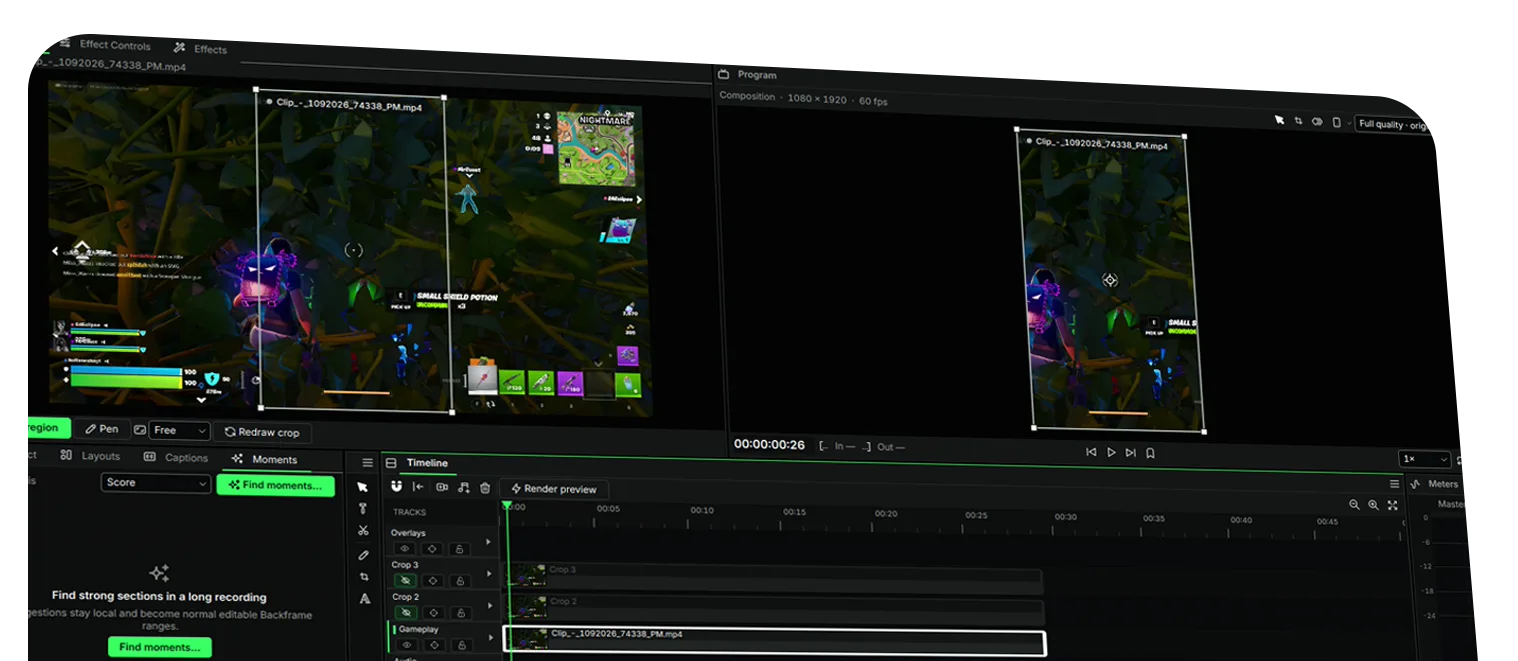
Crop gameplay, facecam and minimap from one recording and stack them in a single vertical frame.
Editing and exporting happen on your Windows PC. Nothing is uploaded to edit a clip.
Grab a community template for your game and skip setting up crops from scratch.
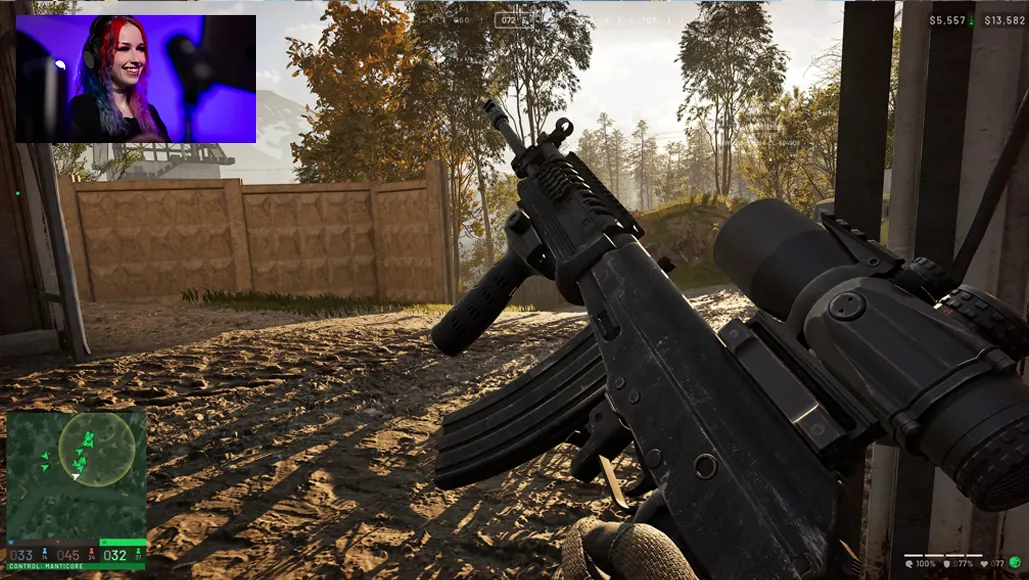
Select a region, choose Draw crop, then drag on the source.
One landscape video can hold everything your audience needs to see. Backframe lets you keep those parts together in a vertical layout.
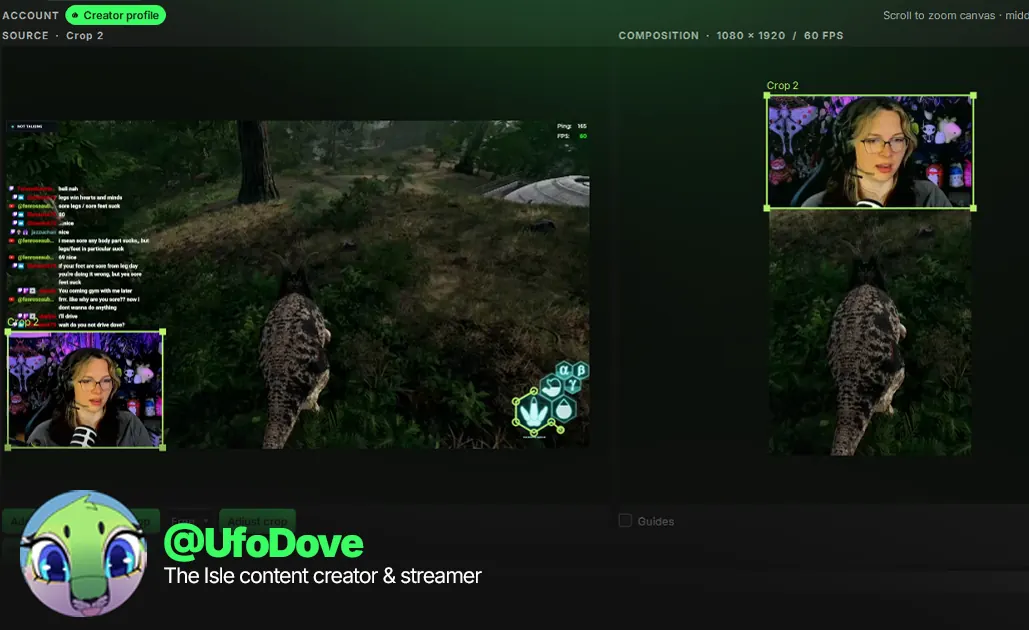
Pull your gameplay, facecam and HUD into separate regions. Arrange them in the vertical frame so the action and the reaction stay together.
Clips for TikTok, Shorts and Reels in minutes. Draw a box around your gameplay, facecam and minimap, drop each one into the vertical frame, and you’re done.
Then let Backframe handle the busywork. Automatic captions write themselves, and Moments scans long recordings for the highlights worth posting.
The same features. Three computers. Your choice. Need more seats? Talk to us about Enterprise.
(USD) Recurring monthly payment
(USD) One-time payment
Pricing tailored to your team
Introductory lifetime pricing. Final amount and currency are confirmed at checkout.
Straight answers about plans, computers, your footage and what’s coming next.
Backframe is built around cropping several regions from the same recording and composing them into one vertical video. Keep gameplay, facecam and the minimap visible together instead of choosing only one part of the landscape frame.
Create an account, start your free trial or choose a plan, then download the Windows installer from your account. Sign in from the app to connect your computer, and you’re ready to edit.
New accounts can try the Monthly plan free for 7 days, once per account. A card is required to start. You won’t be charged during the trial, and if you cancel before it ends you won’t be charged at all. Otherwise US$5 is billed automatically when the trial ends and then every month until you cancel.
US$5 a month, or US$50 once for the introductory lifetime licence. Both plans include every paid editing feature and three computers. Prices in other currencies on this site are estimates; checkout shows the exact amount, currency and any tax before you pay.
Backframe is for Windows 10 and Windows 11. It supports MP4, MOV and other video formats, with exports from 720p to 4K at 30–60 fps. Exact codec support depends on the file.
Video processing happens on your computer. Your account and licence still need an internet connection for sign-in and periodic checks.
Both plans allow three activated computers, all usable at the same time. You can deactivate a computer from your account and move to another whenever you like. Backframe works offline for up to 30 days between licence checks.
Cancel any time from your account. You keep access until the end of the period you’ve already paid for, and you won’t be charged again. After access ends you can still open and edit projects, but exporting needs an active plan.
The introductory US$50 lifetime licence is a one-time payment that includes future Backframe versions and updates, with no renewals. It’s an individual licence for up to three computers.
Yes, from your account’s billing page. Every monthly payment you’ve made is credited towards the lifetime price, up to US$40, so an upgrade costs between US$10 and US$50. Your monthly subscription ends once the upgrade payment goes through.
Yes. Contact support within seven days of a purchase for a refund. Refunding a lifetime purchase in full ends that licence. Your rights under the Australian Consumer Law always apply.
Not yet. Auto-generated captions are in development, and a limited free version is planned. We’ll announce both, with their details, before they become available.
Built for content creators. Part of the Backbone family.